








Before you buy, think about what you’ll use it for this helps narrow down the best model for your needs and budget.
Key Things to Consider
- Processor (CPU): Faster CPUs (like Intel Core i7 or Ultra-series) are better for demanding tasks like video editing or gaming.
- RAM: 16 GB is a good minimum for smooth multitasking; 8 GB is acceptable for basic tasks, while 32 GB+ is ideal for heavy work or content creation.
- Storage: SSD storage (like 512 GB or 1 TB) makes your laptop fast and responsive.
- Graphics: Integrated graphics are fine for everyday use; dedicated GPUs are needed for gaming or graphics work.
- Battery Life & Portability: Ultrabooks (thin and light) are great for students and travel. Dell Laptop Series & Who They Are For
Dell XPS (Premium / Creators)
- Best build quality, strong performance, excellent displays.
- Great choice for professionals, designers, and creators.
- New XPS 14 and XPS 16 models have powerful Intel processors, OLED options, long battery life, and improved design.
Dell Inspiron (Everyday Use)
- Affordable and reliable.
- Good for students, home users, office work, web browsing, and media.
- Comes in various sizes (13″, 15″, 17″).
Dell Latitude (Business / Professional)
- Built for business users with long battery life and durability.
- Often includes features like security options and better keyboards.
Dell Alienware (Gaming)
- Designed for gaming and high-end graphics tasks.
- Strong GPUs (like NVIDIA RTX series) and high-refresh-rate screens.
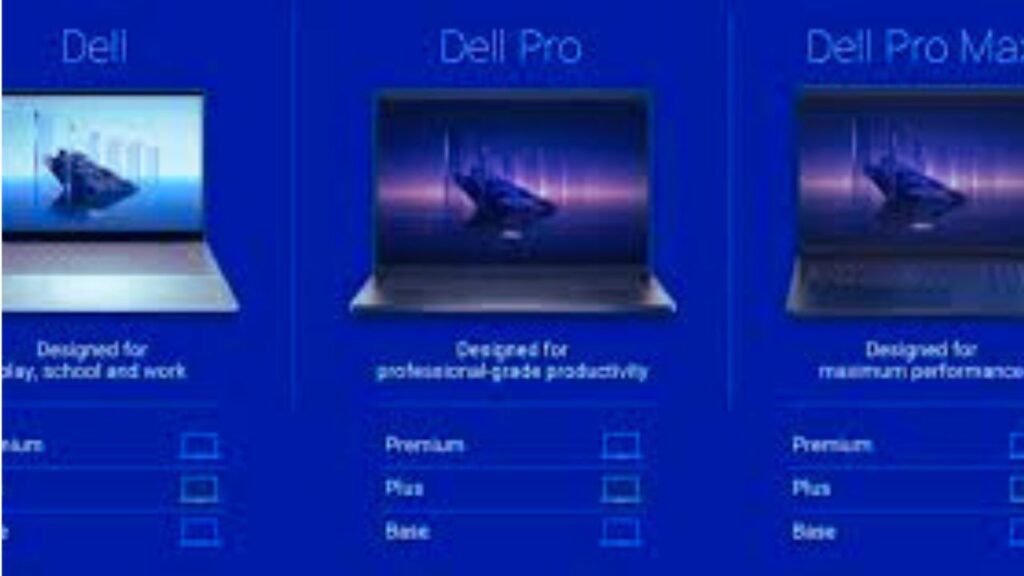
Dell Pro & Dell Pro Max (New Lineups)
- Dell has been updating its laptop naming and product strategy to simplify its model lineup into Dell, Dell Pro, and Dell Pro Max categories. These span from everyday users to high-performance machines.
Example Use Cases
| Purpose | Best Dell Series |
| Students / Everyday Tasks | Inspiron |
| Business / Office Work | Latitude / Dell Pro |
| Content Creation / Multimedia | XPS |
| Gaming / High Performance | Alienware |
Additional Tips
- Check the model number: Every Dell laptop has a specific model name knowing it helps you compare specs and find support online.
- Examine specifications before purchasing: Depending on your requirements, consider CPU, RAM, storage, screen quality, and battery life.Warranty and support: Dell provides optional premium services as well as worldwide support, which
- can be useful if you rely on your laptop often.